
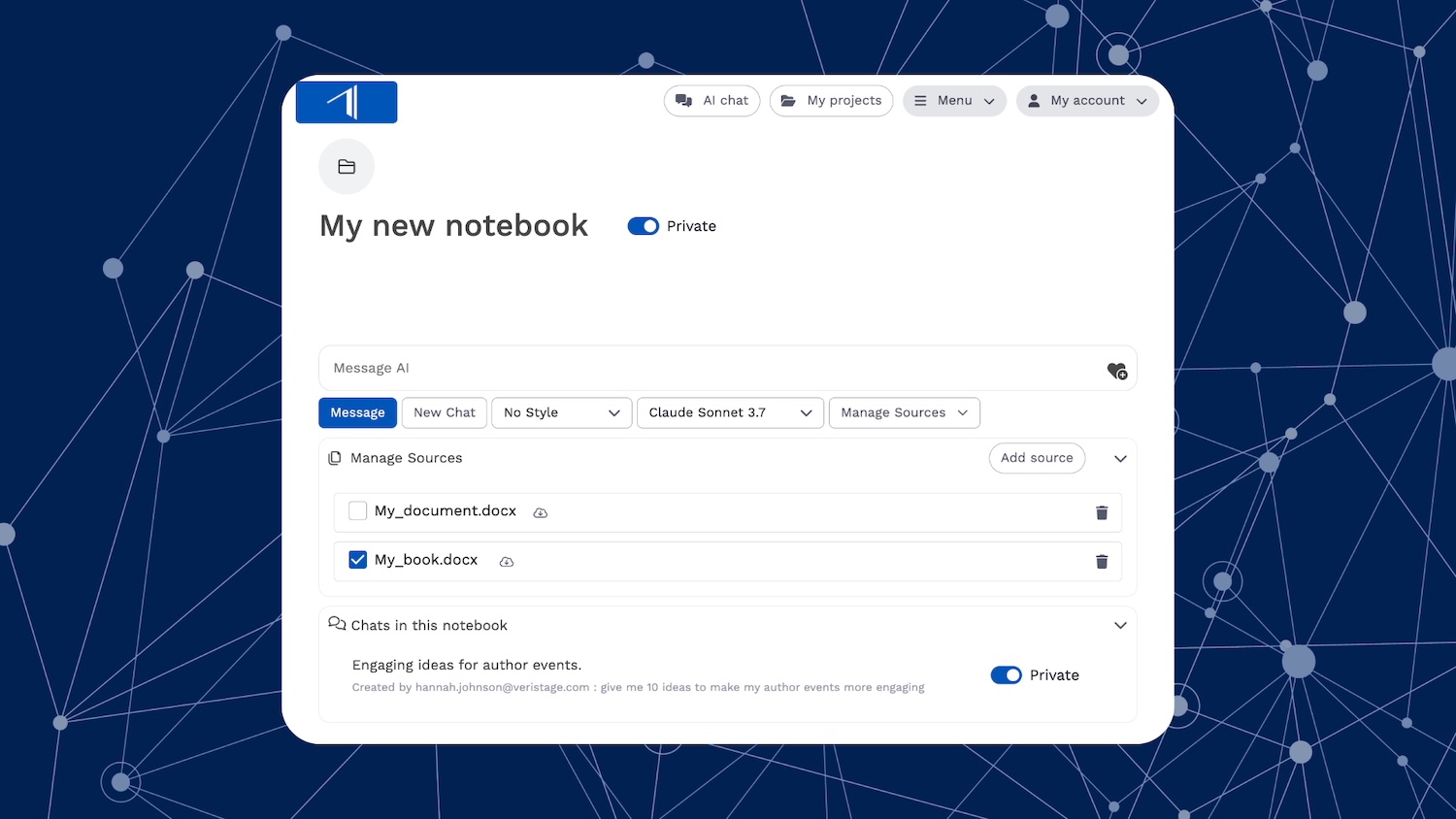
Along with individual chat conversations, Insight’s AI Chat includes notebooks, which help you organize your chats, work with multiple books and documents, and collaborate with colleagues.
Here’s what you need to know to get started.
What Are Notebooks?
A notebook is a collection of chats and files stored in one central location. They allow you to:
- Chat with multiple books, documents, and sources
- Save and revisit previous chat sessions
- Collaborate with colleagues in shared notebooks
How to Create a Notebook
There are two ways to create a notebook:
From AI Chat:
- Open AI Chat and click the + icon next to “Notebooks” in the left panel
- Enter a name, and click Create Notebook
- By default, new notebooks are private until shared
From a Book:
- Each book or document uploaded to Insight automatically has a shared notebook associated with it
- From a book, click the AI Chat button from a book to access it
Adding and Managing Sources
Within a notebook, you can add multiple source documents, and select which documents you want to chat with. From your notebook:
- Click Manage Sources to add books, documents, or URLs
- Drag and drop files, or select from books uploaded to Insight
- Select or deselect sources to refine AI responses
- Click the trash icon next to a source to remove it from the notebook
Sharing and Collaborating
Notebooks can be private to individual users or shared within a user group.
- Toggle the Private/Shared switch to share a notebook with your user group
- All users with access to a shared notebook can add and remove sources, and chat with those sources
- Individual chats within a shared notebook remain private unless manually switched to Shared
- Click Share Link to copy a direct link to send to colleagues
Accessing and Organizing Notebooks
- Recent notebooks appear in the left panel of AI Chat
- Click More Notebooks to search and browse all available notebooks
Deleting a Notebook
- Click the trash icon next to a notebook to remove it
- Private notebooks are fully deleted, including all chats and sources
- Shared notebooks remain accessible to other users, but are removed from your list.
Questions?
Email us at support@veristage.com anytime! We’re happy to help you craft prompts, discuss use cases, and answer questions.