
Writing prompts for AI doesn’t have to be complicated. In fact, many effective prompts are quite simple and straightforward.
You’ll get even better results by including some clear instructions in your prompts and knowing a few basics about how AI Chat works.
(For more tips, browse our chat prompts for publishers and learn about Notebooks in AI Chat.)
Take a look below at our tips for writing great AI prompts in Insight.
Start a new chat when you change topics
The questions and answers in your current chat conversation are used to generate the next answer. This means you don’t have to repeat questions and you can have a back-and-forth conversation with AI.
It also means that if you abruptly change topics, the answers may become confused and less helpful.
If you want to change topics, interact with a different book, or try a different approach to your conversation, start a new chat to get the best results.
Include parameters and limitations in your prompt
- Ask for long or short responses, or set an approximate word count
- Instruct AI to avoid certain phrases, like “delve” or “in a world”
- Define a format for the response—that could be a list, a table, an outline, or certain number of paragraphs
Provide more context to get better answers
Below are some types of context you can add to your prompts.
The target audience:
- Instead of: “Write a short LinkedIn post to promote this book”
- Try this: “Write a short LinkedIn post that promotes this book to humanities professors and researchers. Include details about the book that appeal to an academic audience.”
How you want to use this information:
- Instead of: “Write a 100-word description of this book”
- Try this: “Write a 100-word description of this book. Tailor this description for my foreign rights catalogue and to appeal to international acquisitions editors at other publishing houses. Tease the plot but do not include spoilers.”
Upload extra material:
If you are chatting with a book in Insight, the chat responses are limited to the content of your book to reduce errors and hallucinations. Upload more information to supplement your conversation, like:
- Author bios
- Book reviews and press quotes
- Curriculum standards (to check compliance)
- Marketing campaign data
- Other books (by the same author or in the same series)
- Sales data
Ask AI to fine-tune its response
If the first response to your prompt is not quite what you want, ask for specific changes. For example:
- “Make this text more formal/informal/casual/academic”
- “Rewrite this and focus more on specific plot elements rather than universal themes”
- “Add a one-sentence cliff-hanger question to the beginning of this description”
Break down long tasks into multiple steps
AI models are constantly improving and increasingly capable of handling multi-step prompts and questions. However, there are a couple reasons to split your prompts into several parts.
Length limitations:
AI models can output less text than they can take in and understand. If you are asking the AI to generate more than 5,000 words, consider breaking down your questions into multiple parts.
Specificity:
If you have a long list of content you want to generate, you’ll get more specific results if you break down that list into individual—or at least smaller—components.
You can also provide more specific instructions for each component instead of putting too much detail into a single prompt.
Choose the right LLM for the job
Insight’s AI Chat supports multiple models, which excel at different tasks and produce responses:
GPT 4.1
- Flagship model from OpenAI
- Great for most tasks with improved instruction following, reasoning, balanced responses, and larger context window
- Able to use tools including image generation, web search, keyword tool, and internal document search
Claude Sonnet 4
- Leading all-purpose model from Anthropic
- Great for most tasks with high-level reasoning skills and large context window
- Polished writing style
Gemini Pro
- The latest “thinking” model from Google
- Advanced reasoning and accuracy, particularly across long text and larger amounts of information
Mistral Large
- Flagship model from France-based Mistral AI
- Good for general tasks with a focus on cost-efficiency and capabilities in smaller languages
Ask AI to help you write a prompt
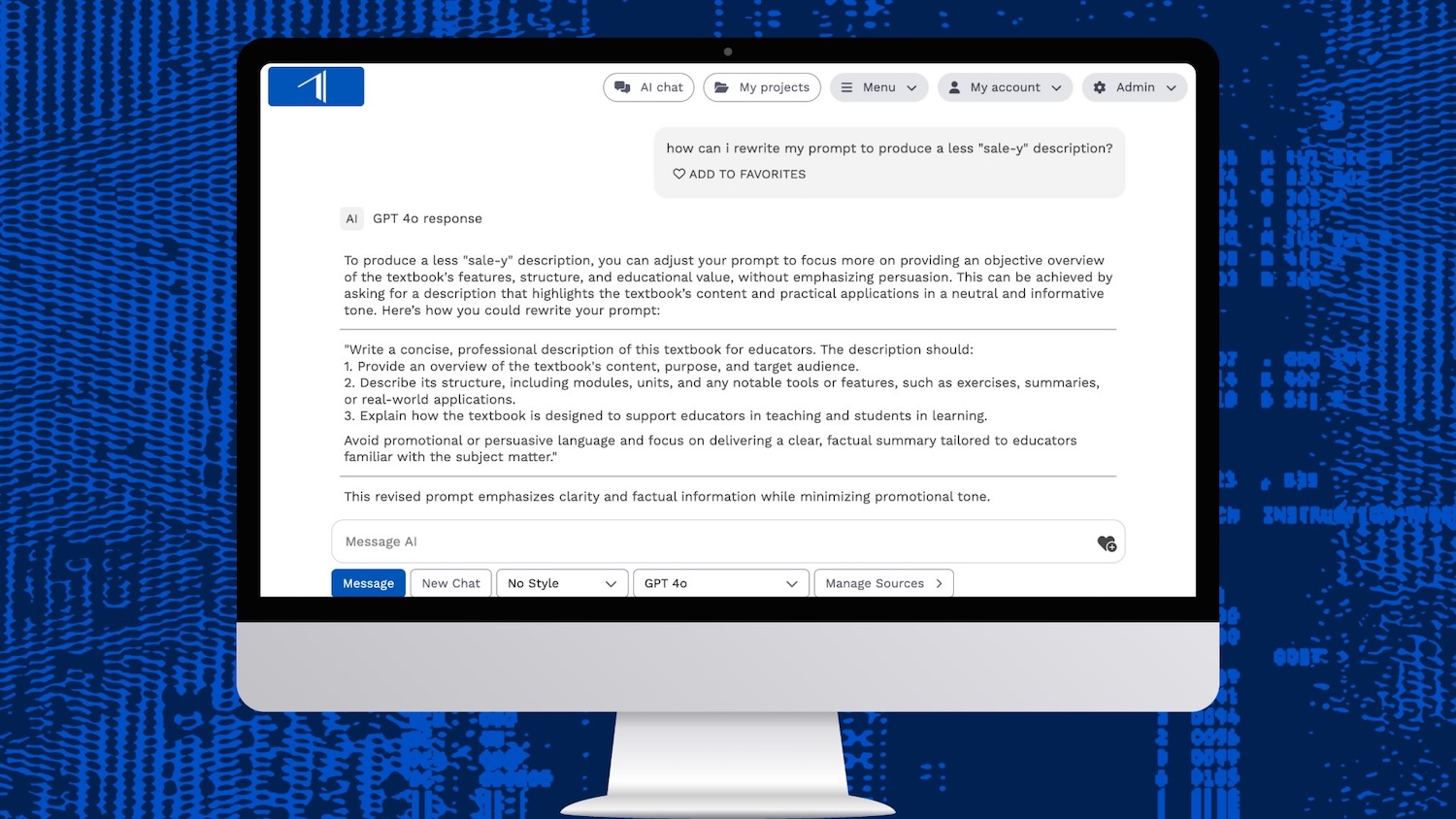
If you’re working in a chat conversation and not getting the responses you want, ask AI to help improve your prompt.
Try something like, “How can I improve my prompt to produce a more engaging press release?” or “Help me re-write my prompt for specificity and clarity.”
Or describe what you are trying to achieve and ask AI to write the prompt for you.